Cataclysm-Guides
Installing 3rd Party Mods for Cataclysm: Dark Days Ahead
1. Downloading the mod
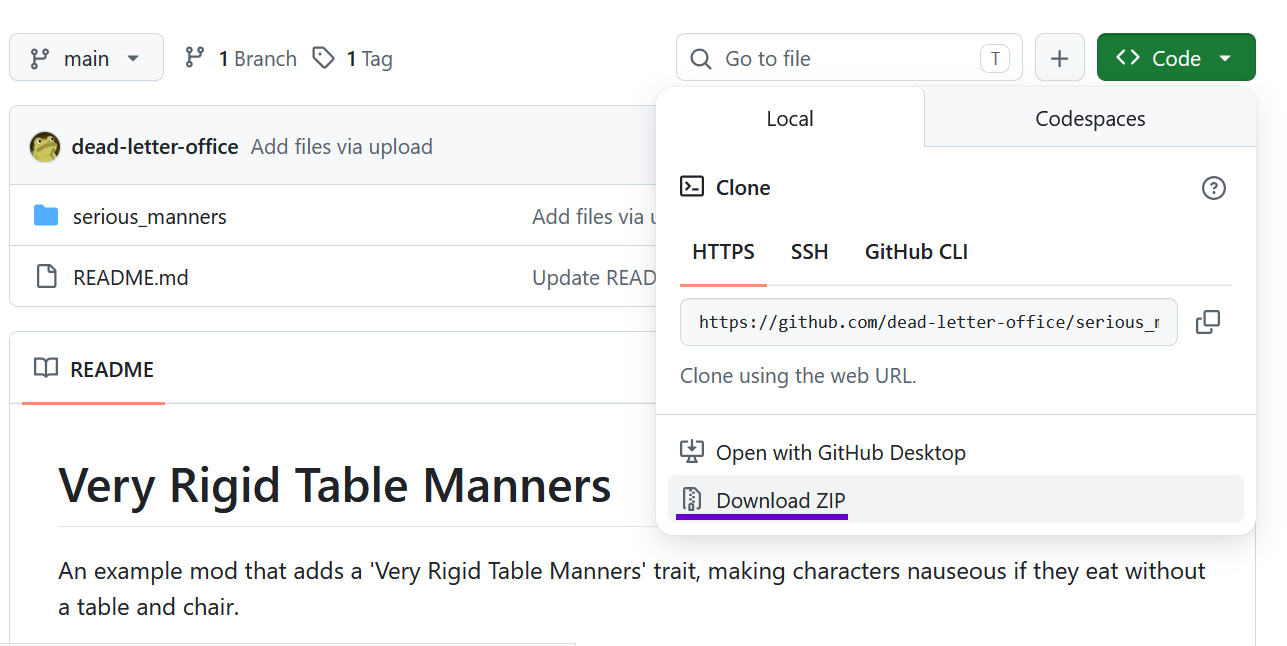
Many third-party Cataclysm mods are hosted on github.
These can be downloaded either by clicking Code -> Download Zip
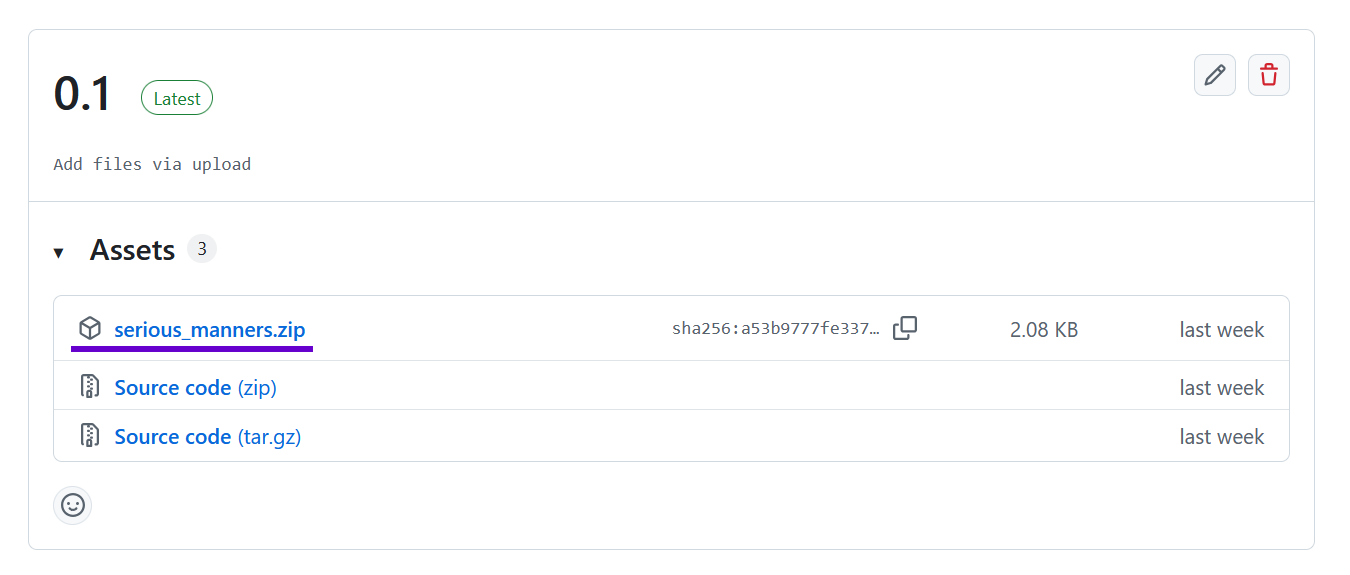
or by finding a file on the mod’s Releases page
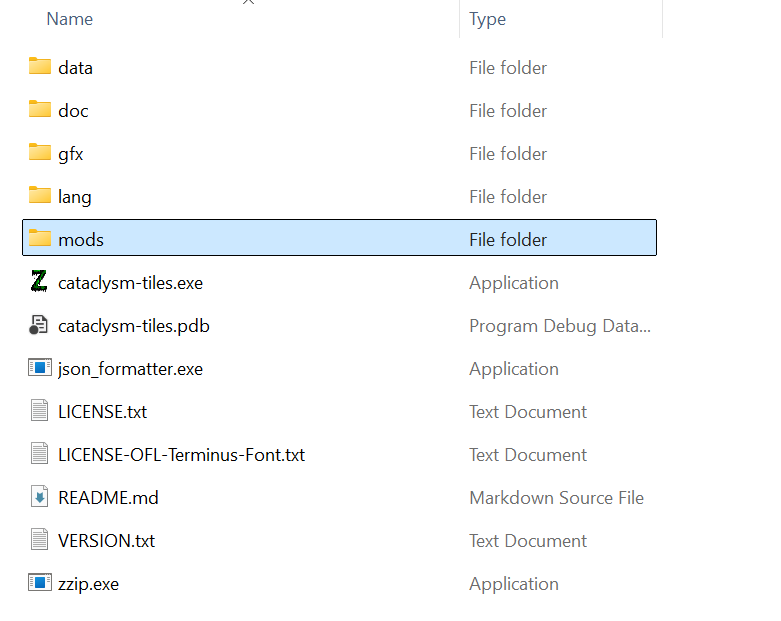
2. Go to the game directory and find the mods folder
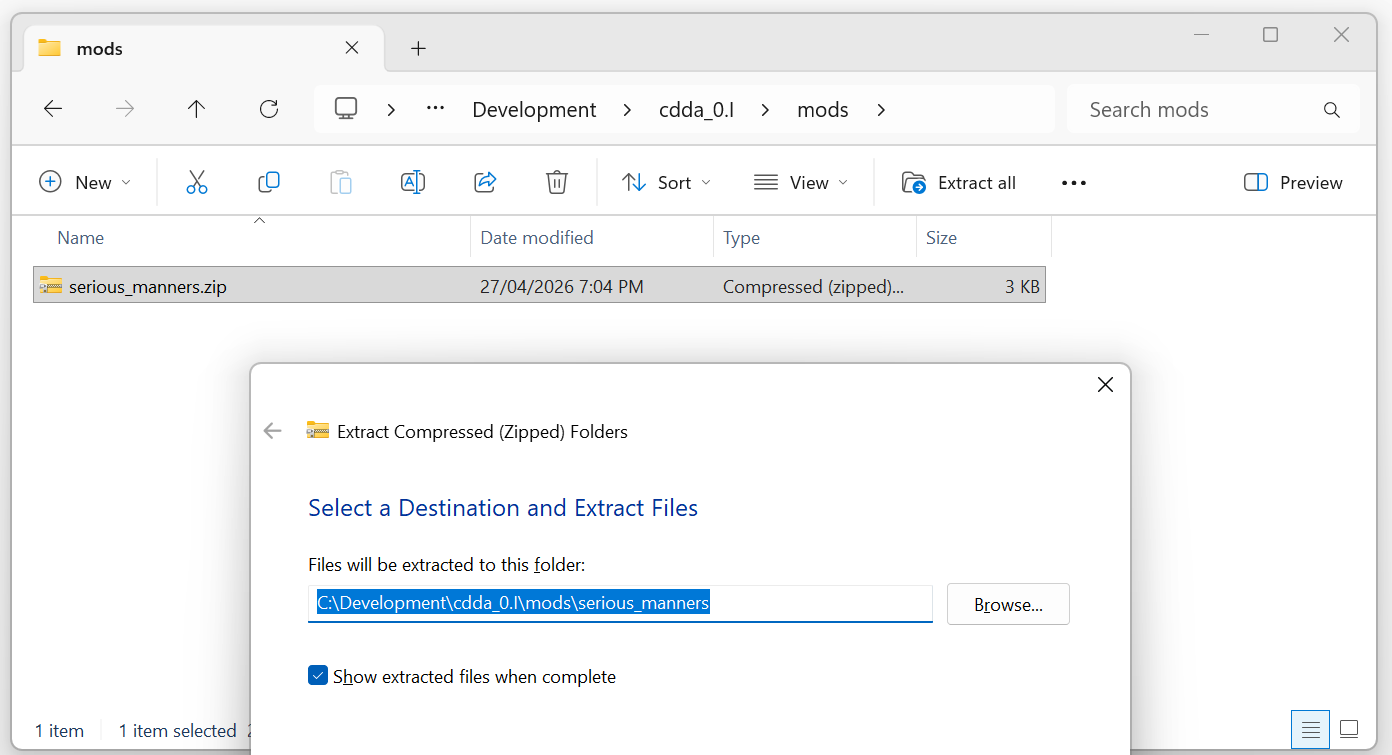
3. Unpack the mod into its own folder
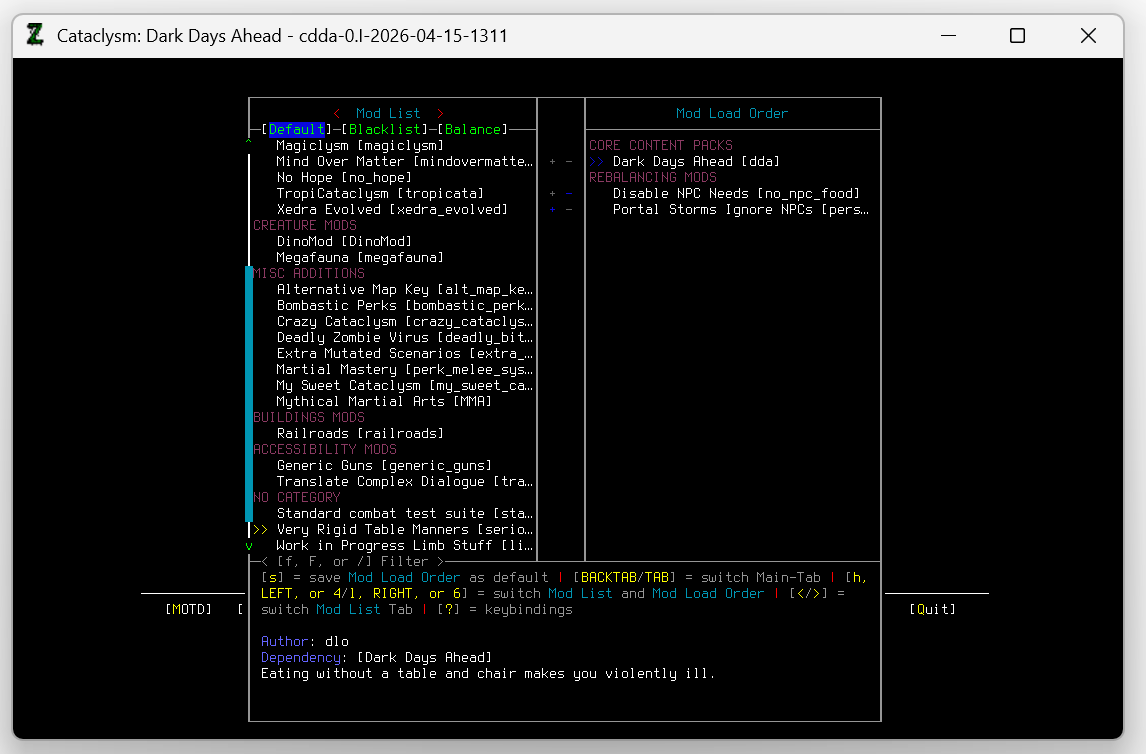
4. Check the mod is available when creating a new world
Note:
If you play Cataclysm with a launcher, the process of installing mods might be different for you.
Check with the launcher’s project for information on manually installing mods.